Did you know that 20% of U.S. workers now routinely work from home? Yet many small businesses still rely on old-school desktop setups where each employee has a dedicated PC loaded with their own files, apps, and software. While this used to be the norm, managing that kind of setup today can feel like putting out small fires all day long: aging hardware, missing updates, data risks, and constant maintenance needs. As tech challenges grow, especially with hybrid teams and cybersecurity threats, traditional desktops can start to feel outdated, expensive, and hard to scale. That’s where desktop virtualization for small businesses comes in.
This guide is here to help you understand what desktop virtualization actually is and why it’s a smart, flexible solution for small and midsize businesses. You’ll learn how it works, the everyday problems it helps solve, and how it can reduce IT headaches while supporting your team from anywhere.
Whether you’re managing a small team or wearing the IT hat yourself, this post will walk you through the basics and show how your business can benefit from switching to virtual desktops without breaking the bank or needing a full-time IT department.
What Is Desktop Virtualization?
Let’s start with what most small businesses already use: traditional desktops. In a typical setup, each employee has a physical computer, often a desktop or laptop, with all their files, apps, and settings stored directly on that device. It works, but it comes with problems: hardware failures, software updates, security risks, and limited flexibility when people need to work from home or switch devices.
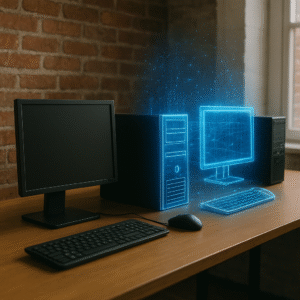
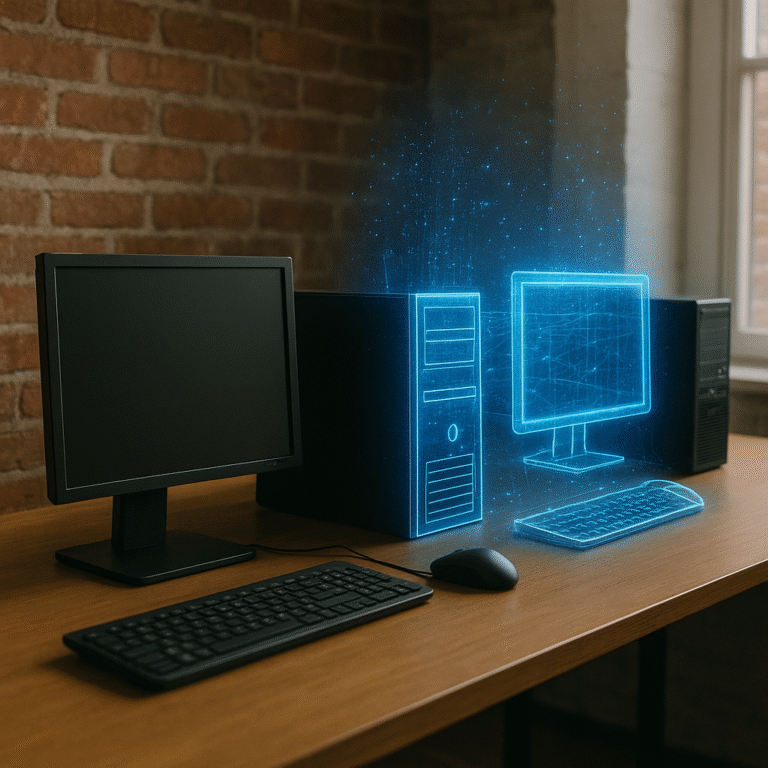
Workspace virtualization is a smarter, more flexible approach.
Instead of tying your desktop environment to one specific computer, virtualization moves it to a central server, either in the cloud or in your office. From there, employees can access their full desktop from nearly any device: a laptop, a tablet, or even a phone.
Think of it like this: instead of each person having a separate desk with their own locked cabinet, imagine everyone has a secure, personal workspace they can open from anywhere, anytime. That’s a virtual desktop.
And yes, this is a full desktop experience. You’re not just logging into a single program or cloud app. You’re using your entire Windows or Linux desktop, with the same look, feel, and tools you’d have on a regular PC. It’s like your work computer is always with you, no matter what device you’re using.
This setup makes IT management simpler, remote work easier, and security stronger without adding more hardware or tech headaches to your plate. For companies considering a small business virtual desktop infrastructure, this approach offers a scalable, modern alternative to traditional setups.
How Does Desktop Virtualization for Small Businesses Work?
With desktop virtualization, your team’s desktops don’t live on their physical computers anymore. Instead, they’re hosted on a central server and accessed securely over the internet.
Each employee logs into their virtual desktop through a secure connection, using just about any device they have handy: a desktop at the office, a laptop at home, or even a tablet while traveling. The desktop they see is exactly the same every time, meaning it has the same apps, the same files, and the same layout because it’s all stored and run from a centralized system, not a local machine.
That centralized setup comes with a lot of built-in advantages:
- Storage is managed centrally on the server and is more secure.
- Security is tighter because device configurations are centrally managed leading to less human error.
- Software updates and patches can be rolled out to every user at once, instead of going device by device.
Let’s say Anna opens her work desktop at 9 a.m. from her office PC. She edits a proposal, checks email, and logs out. At 5 p.m., she wants to make one last change from her laptop at home. When she logs back in, everything is exactly where she left it without file transfers, USB drives, or version conflicts. That’s the power of a virtual desktop.
This setup gives small businesses more flexibility, stronger protection, and simpler IT without needing to upgrade every employee’s computer. And best of all, your team can keep working securely, no matter where they are.
Why Does Desktop Virtualization Matter for Small Businesses?
Small businesses face a unique set of tech challenges: tight budgets, limited IT support, and a mix of new and aging devices. Desktop virtualization helps solve these common problems by making technology simpler, more flexible, and easier to manage even without a full-time IT team.
Here’s how:
- Less pressure on limited IT resources. Traditional desktop setups can eat up time and money. Someone has to install updates, troubleshoot problems, and manage backups on every single device. With desktop virtualization, those tasks happen in one central place, saving your team hours and reducing downtime.
- Remote work made simple. Your team can access the same desktop from anywhere. Whether they’re at the office, working from home, or traveling, everything is right where they left it. No extra software. No emailing files to themselves. Just a secure login and go.
- Old devices still work. Virtual desktops don’t rely on high-powered local machines. Even older laptops or low-spec devices can run a full Windows or Linux desktop smoothly because all the heavy lifting happens on the server. This extends the life of your hardware and delays costly upgrades.
- Easier to scale as you grow. Hiring a new team member? Instead of buying and setting up a brand-new computer from scratch, you can quickly create a new virtual desktop with the tools and permissions they need. It’s faster, more consistent, and easier to manage across your team.
In short, desktop virtualization for small businesses gives more control, more agility, and fewer tech headaches. It turns IT into a service that works for you and not the other way around.
Benefits of Desktop Virtualization for SMBs
Virtual desktop solutions for small businesses offer more than just a new way to access your desktop. It solves real-world problems and makes daily operations smoother, safer, and more affordable.
Here are some of the biggest advantages of desktop virtualization for business that make it a smart investment for SMBs:
- Save money on hardware and maintenance. Virtual desktops don’t require top-of-the-line machines. Because the processing happens on a server, your team can use lower-cost devices or even repurpose older ones. Plus, you’ll spend less on on-site repairs, upgrades, and replacements.
- Centralized IT support and updates. Forget going desk-to-desk for software updates or troubleshooting. With desktop virtualization, IT teams can push updates, manage settings, and monitor performance from a single dashboard. That means faster fixes and fewer disruptions for your team.
- Easier onboarding and offboarding. Need to set up a new employee? Spin up a virtual desktop in minutes with the right tools and permissions. Need to offboard someone? Disable access instantly. No need to collect devices or worry about forgotten files. They’re all stored in one secure place.
- Stronger data security. Because everything lives on a central server and not scattered across individual devices, data stays safer. If a laptop is lost or stolen, your sensitive business info isn’t sitting on the hard drive. Virtual desktops also support features like multi-factor authentication and role-based access controls.
- Better support for hybrid and remote work. Whether your team is in the office, working from home, or on the go, they can access the same desktop experience. That consistency improves productivity and makes it easier to manage a flexible workforce.
- React quicker to market conditions. Easily scale your virtual desktop environment up or down to match business needs without planning years ahead for costly hardware purchases.
- Expand your candidate pool. Break free from location-based hiring limits. With secure remote access, you can hire the best talent regardless of geography, not just those who can commute to your office.
- Increase staff satisfaction. Give your team a better work-life balance with the flexibility to work remotely. This can lead to higher productivity, greater retention, and improved quality of life.
With all these benefits, desktop virtualization gives small businesses the tools to work smarter, stay secure, and scale confidently without adding complexity or cost.
Common Concerns
We get it. Switching to desktop virtualization can raise a few questions. Here’s a closer look at the most common concerns we hear from small business owners, along with some clear answers.
Is it really secure?
Yes, and in many cases, it’s actually more secure than traditional on-site setups. Virtual desktops are hosted in secure environments that include features like encryption, multi-factor authentication, and centralized access controls. Since data stays on the server and not individual devices, there’s less risk if a laptop gets lost or stolen.
Will it cost more?
There is often an upfront investment, especially when setting up the server infrastructure or subscribing to a cloud-hosted service. But over time, virtualization can lower your total cost of ownership. You’ll spend less on physical hardware, maintenance, and on-site support and reduce downtime that eats into productivity.
Will it confuse my employees?
Not at all. The end-user experience stays the same. Employees still see their familiar desktop with the same apps, files, and layout. They just log in from a different device. There’s no need to retrain your team or worry about a steep learning curve.
Desktop virtualization isn’t just for large corporations with huge IT budgets. With the right partner like Mercer Bucks Technology, it’s a practical, secure, and cost-effective solution that small businesses can start using today.
How Mercer Bucks Technology Can Help
Small and midsize businesses don’t always have the time or resources to manage complex IT systems. That’s where virtual desktop solutions for small business from Mercer Bucks Technology comes in.
- Expert assessment of your business needs. Mercer Bucks Technology starts by understanding your current setup, goals, and challenges. Whether you’re dealing with outdated hardware, planning to grow your team, or needing better support for remote work, our team will help you find the right path forward. For broader support across devices and users, explore our managed IT support services.
- Custom virtual desktop solutions. One size doesn’t fit all. Mercer Bucks Technology designs desktop virtualization solutions tailored to your business size, budget, and industry. Whether you need just a few virtual desktops or a full small business virtual desktop infrastructure rollout, we build a system that works for you.
- Ongoing support, security, and management. Once your virtual desktops are in place, Mercer Bucks Technology doesn’t just disappear. We provide ongoing monitoring, security updates, backup management, and day-to-day IT support so you can stay focused on running and growing your business, not putting out tech fires.
- Less stress, more productivity. Our goal is simple: take the IT burden off your plate. With Mercer Bucks Technology by your side, you’ll gain flexibility, reduce downtime, and make smarter tech investments that support your team wherever they work from.
Ready to simplify your IT and explore desktop virtualization for your business? Mercer Bucks Technology is here to help.
Is Desktop Virtualization Right for You?
If your business is juggling aging hardware, limited IT resources, or a remote team, desktop virtualization for small businesses might be exactly what you need. It offers cost savings, stronger security, simpler IT management, and the flexibility to support your team wherever they work.
With virtual desktops, you don’t need to be a tech expert or have a huge IT budget to run a secure, modern workplace. The business benefits of desktop virtualization include cost savings, stronger security, and the flexibility to support your team wherever they work.
See also: Strengthen user adoption with our guide on helping your team embrace new technology.
Still unsure if it’s the right fit? That’s what Mercer Bucks Technology is here for. We help small and midsize businesses find the right desktop virtualization setup for their size, goals, and budget. Whether you’re just exploring your options or ready to make the switch, we’d love to chat.
Book your free consultation and find out how desktop virtualization can work for you.